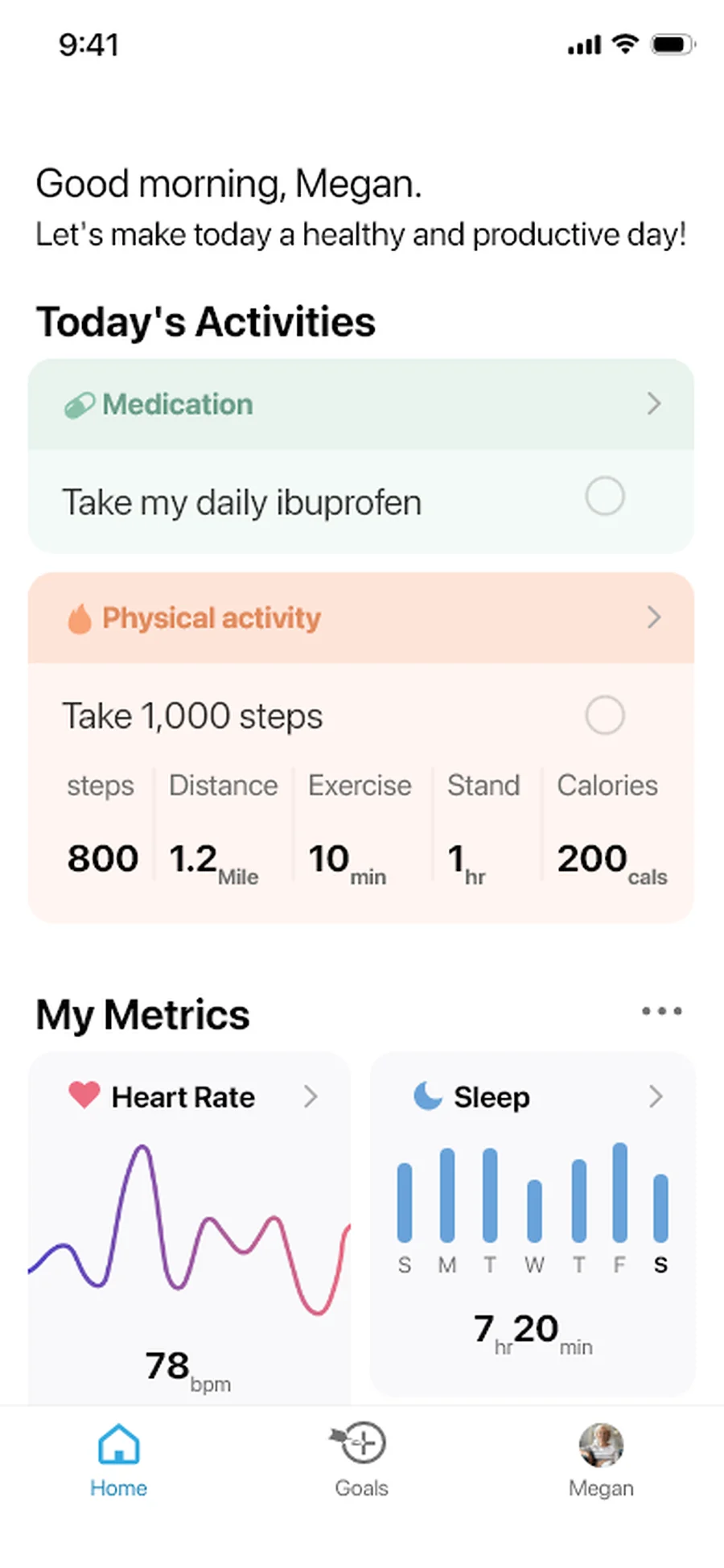
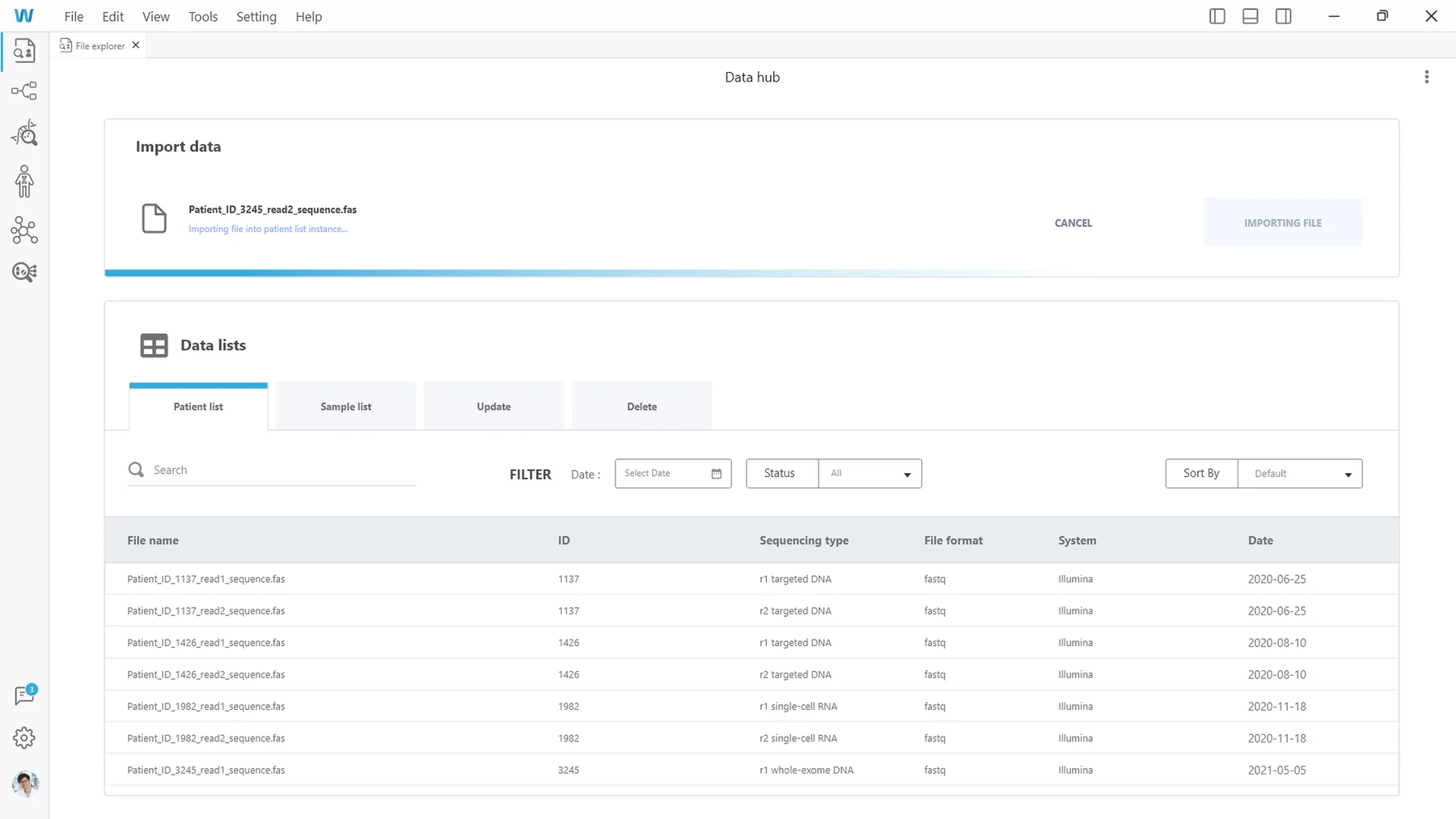
Personalized medicine, from daily care to genomic research.

WeCare imagines health care shaped around each person: a mobile app helps people keep up with daily health routines, and desktop software helps specialists investigate genomic and biological data.

Overview

WeCare is my graduation project from Emily Carr University, a speculative personalized-medicine platform that pairs preventive care with genomic insight. It has two products under one identity. A mobile app helps people review daily activities, track health metrics, and set goals. Desktop software helps specialists prepare data files, inspect genome sequences, and compare biological models across scales. WeCare received the 2023 ECU Health Design Award for Service and was shown at The Show exhibition.

What I did

Research
Mapped the app’s audience with a persona, empathy map, and journey, and the software’s specialists with an analyst journey.
Structure & flows
Structured the app around home, goals, and profile, and mapped how saving a goal leads back to daily progress.
App interface
Designed the wireframes and screens for daily activities, health metrics, sleep, medication, and goals.
App interactions
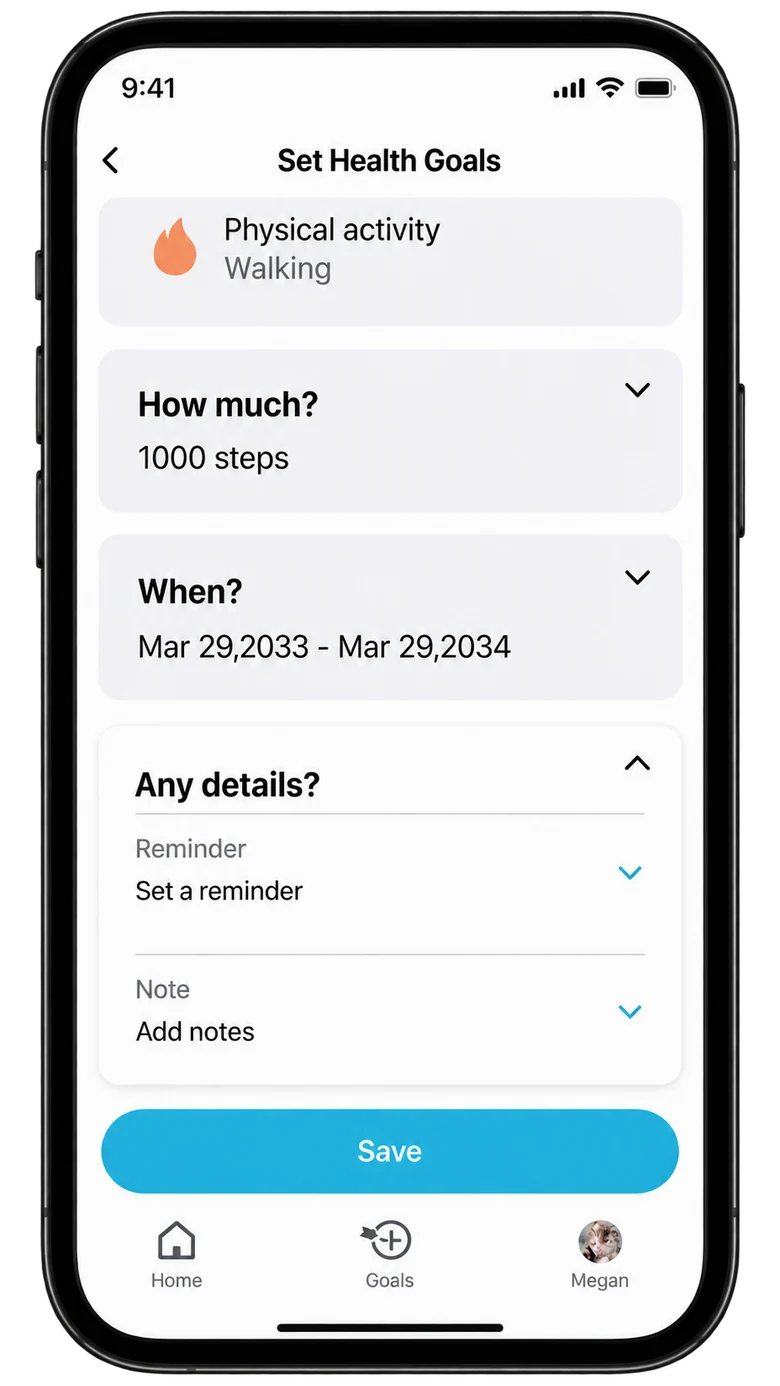
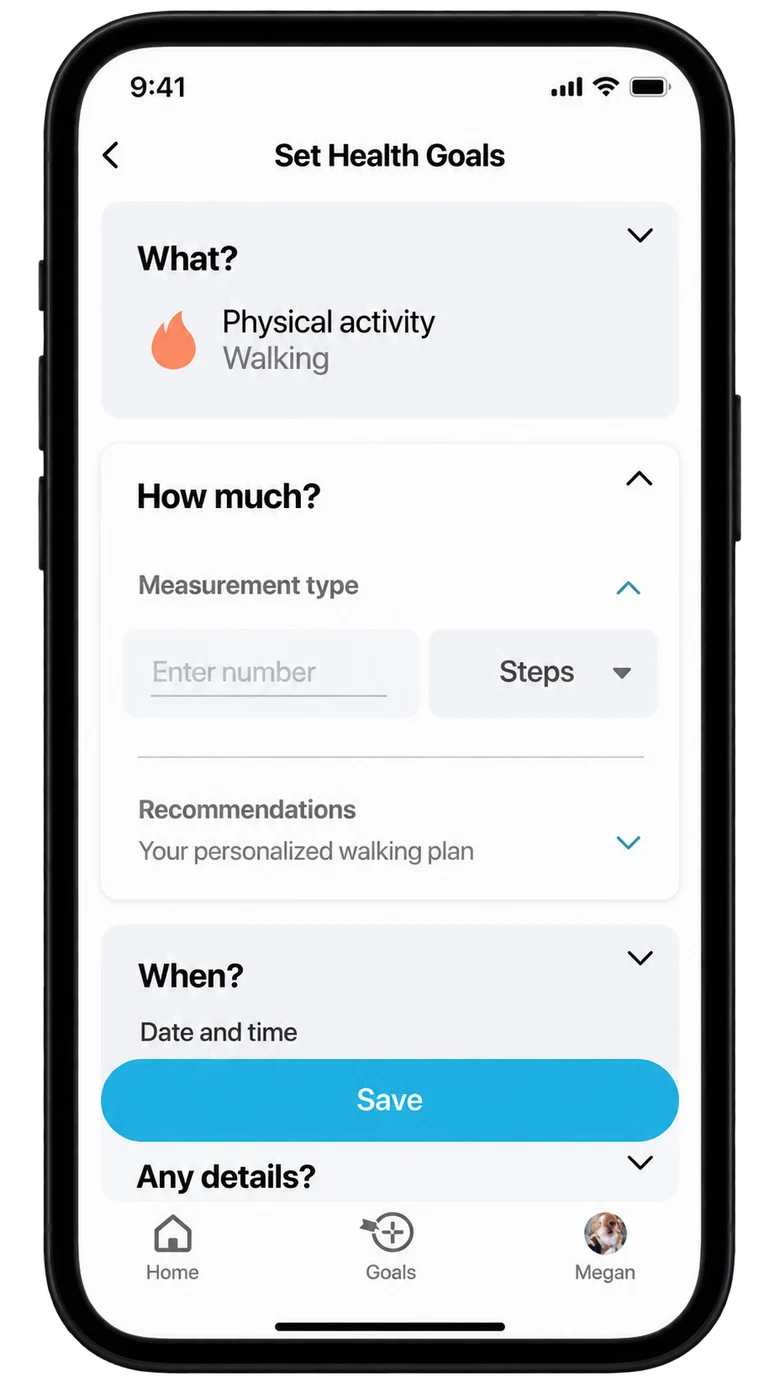
Designed goal setting in three steps: choosing an activity, defining a target, and setting a schedule.
Desktop software
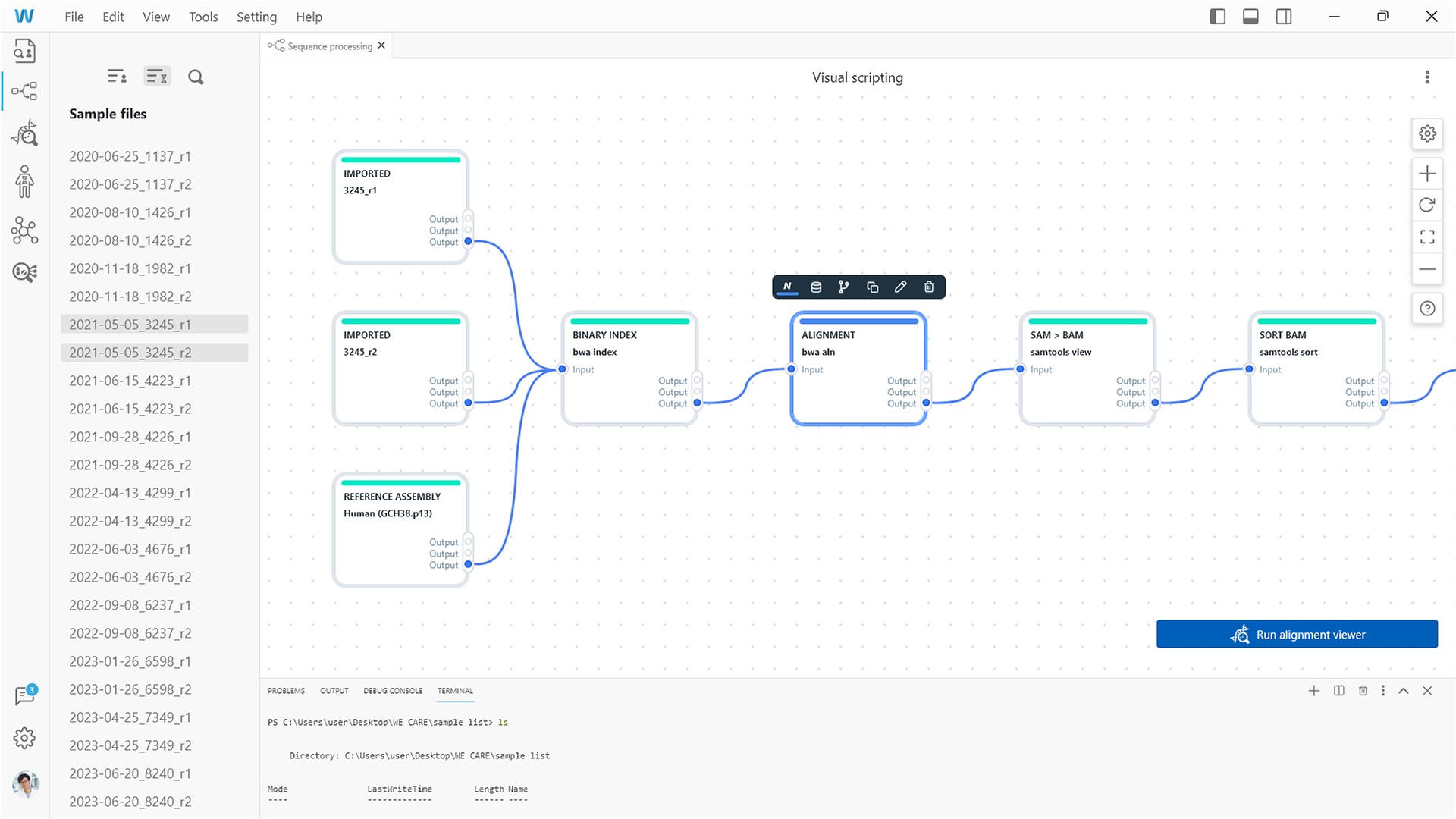
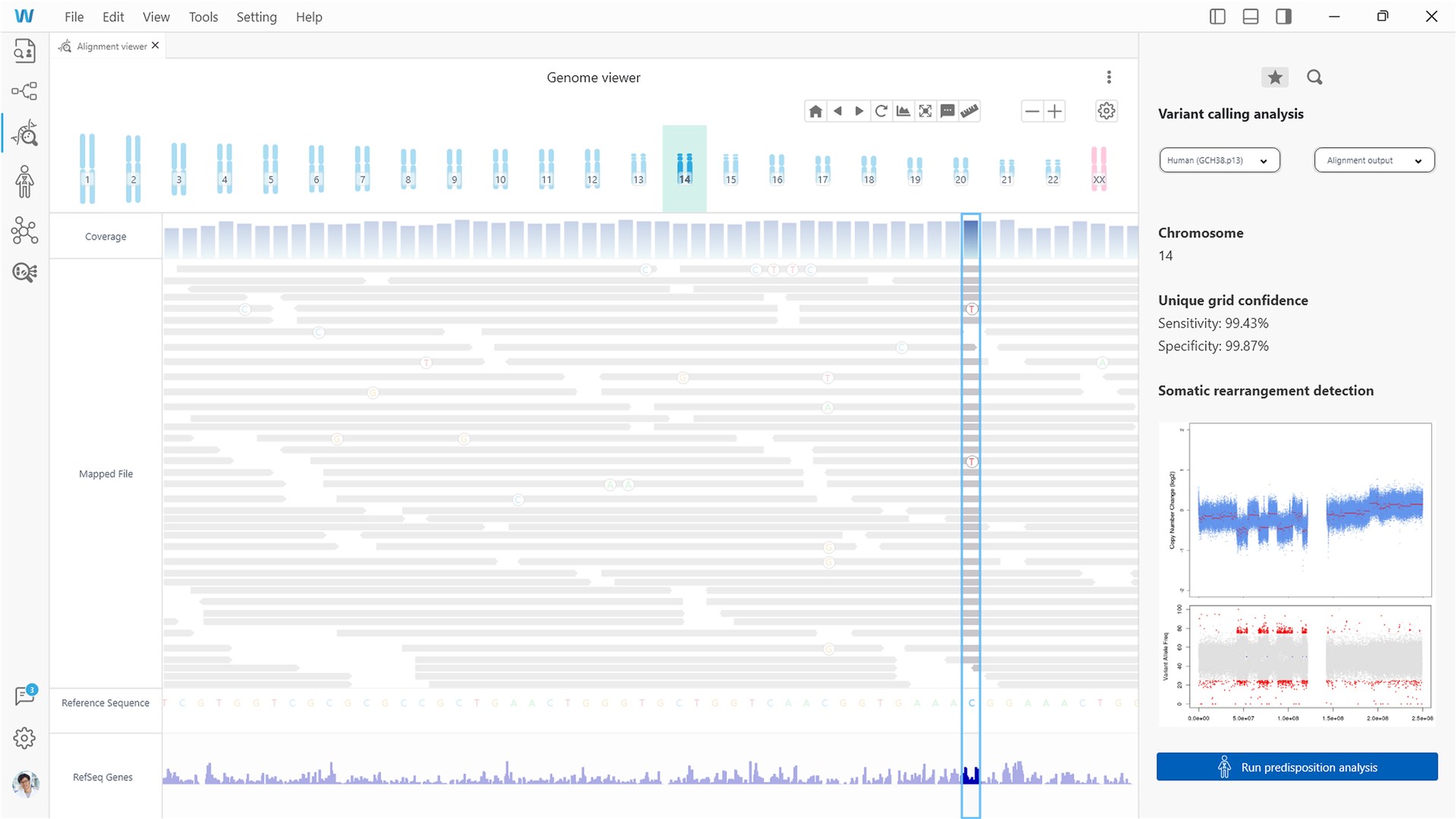
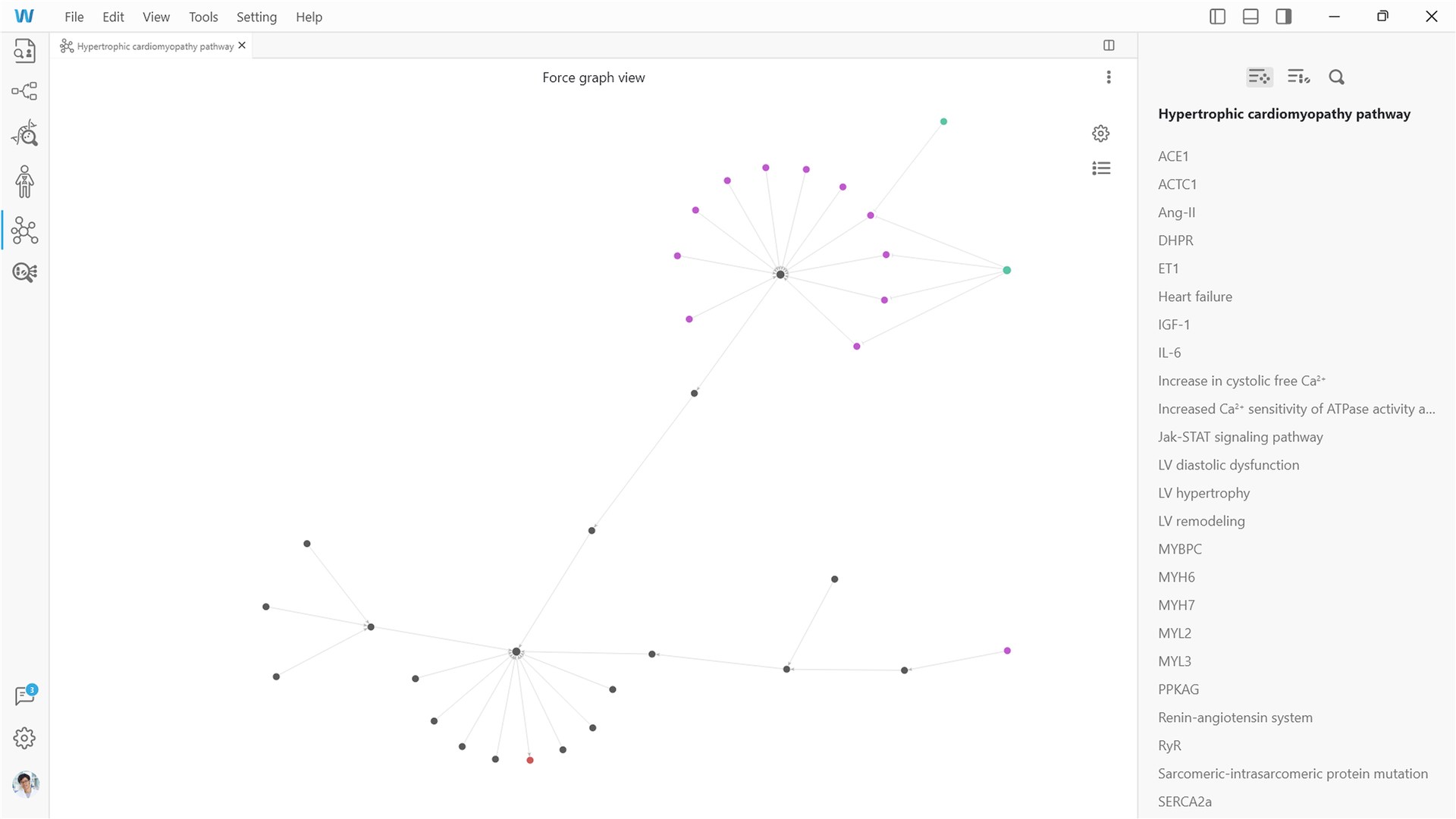
Designed the analysis workspace: a file explorer with visual scripting, a genome viewer, and linked views from the body down to molecules.
Design system
Built one visual identity with two component sets: goal and progress controls for the app, and file, sequence, and analysis controls for the software.

App research

A proposed persona, empathy map, and journey explore how people review daily priorities and set manageable goals.

User persona

Daily care user

Personal health · mobile app

  • Quick check-ins
  • Daily priorities
  • Achievable goals
Needs
See daily priorities and choose an achievable next step.
Possible friction
Competing information and uncertainty about whether a goal was saved.

Empathy map

Says
What matters today?
Thinks
Is this target realistic?
Does
Reviews progress and sets goals.
Feels
Unsure of the next step.

App journey

Hypothesis

Setting a health goal can stall on competing information, an undefined goal, too many decisions, or not knowing whether the goal saved.

Orient

TodayDaily goalsSet a goal
A focused daily view
Question

What matters today?

Potential barrier

Competing information

Design response

Daily activities first

Choose

Choose a goalActivityMedicationSleep
Clear goal categories
Question

Where do I begin?

Potential barrier

An undefined goal

Design response

Clear goal categories

Configure

WalkingTarget1,000 stepsTimingSave
Target and timing
Question

What fits my routine?

Potential barrier

Too many decisions

Design response

Related details grouped together

Follow through

Goal savedTodayWalking1,000 steps
Proposed confirmation
Question

What happens next?

Potential barrier

Unclear whether the goal saved

Design response

Visible save confirmation

App structure & flows

App destinations and a proposed goal-setting flow connect daily progress with a clear next action.

Sitemap

Home, Goals, and Profile separate daily tasks, progress, and personal care information.

WeCare app

Home

  • Activities
  • Metrics
  • Highlights

Goals

  • Progress
  • Create a goal

Profile

  • Records
  • Care team
  • Privacy

Save confirmation

The proposed flow confirms a saved goal or returns to incomplete fields for correction.

Start or endScreen or actionDecisionProposed path
Goal save confirmation flowFrom Goals, set a goal, choose walking, and set a target and timing, with recommendations available. If details are complete, the goal is saved, confirmed, and the app returns to Home. If not, revise the field and check again.YESNOGoalsSTARTSet a goalChoose walkingTarget + timingRecommendationsOptionalDetailscomplete?Save and confirmEND · HOMERevise fieldProposed

Select a route to follow a goal with complete details or one with missing details.

App interface

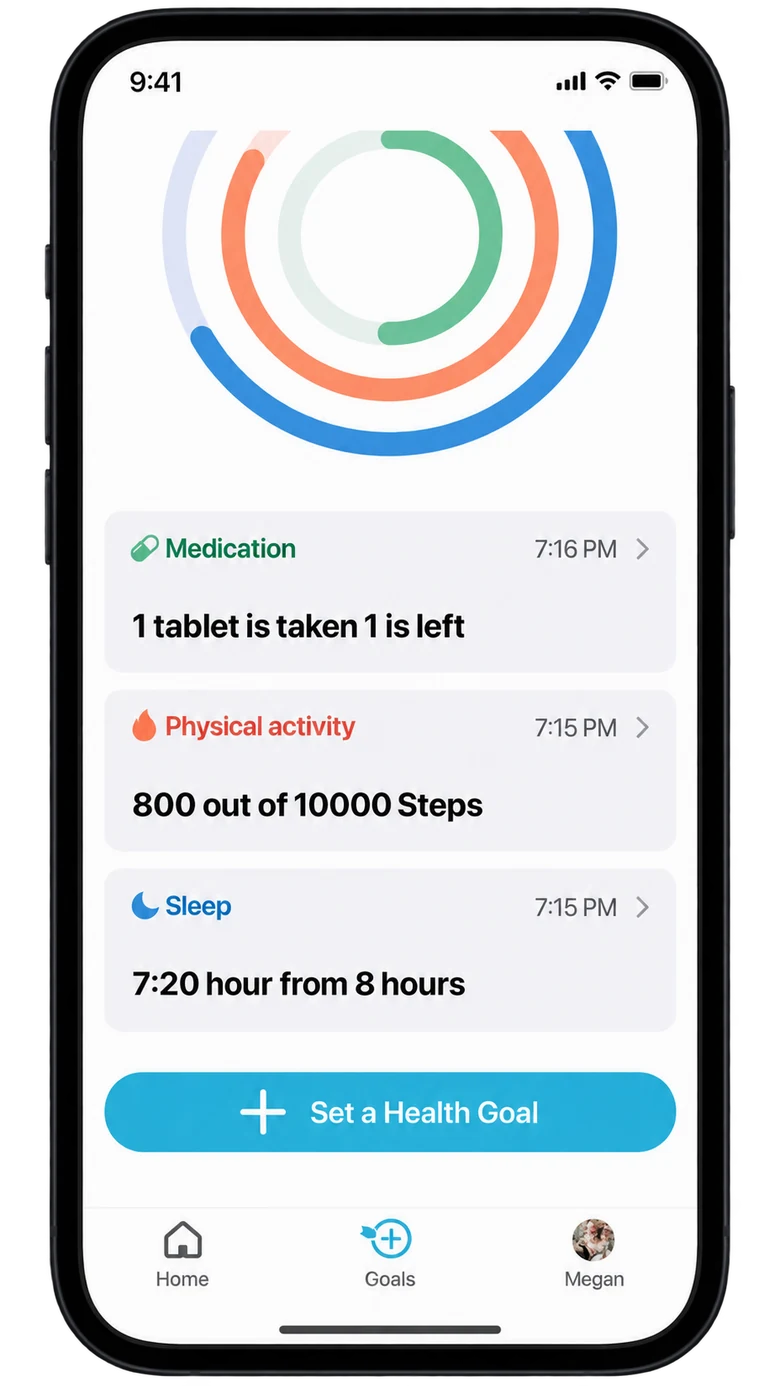
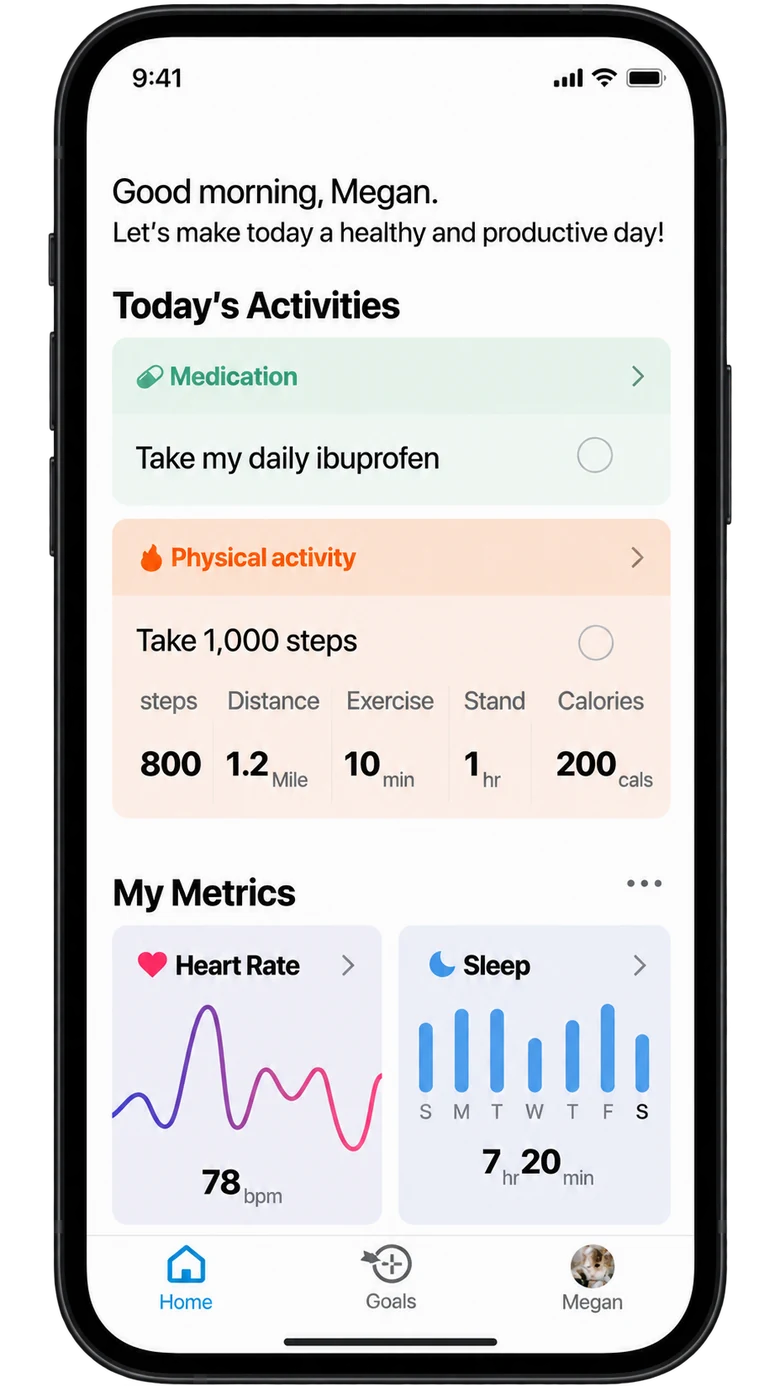
Daily check-ins open with the activities that need attention, the metrics that changed recently, and the goals that turn intentions into a plan.
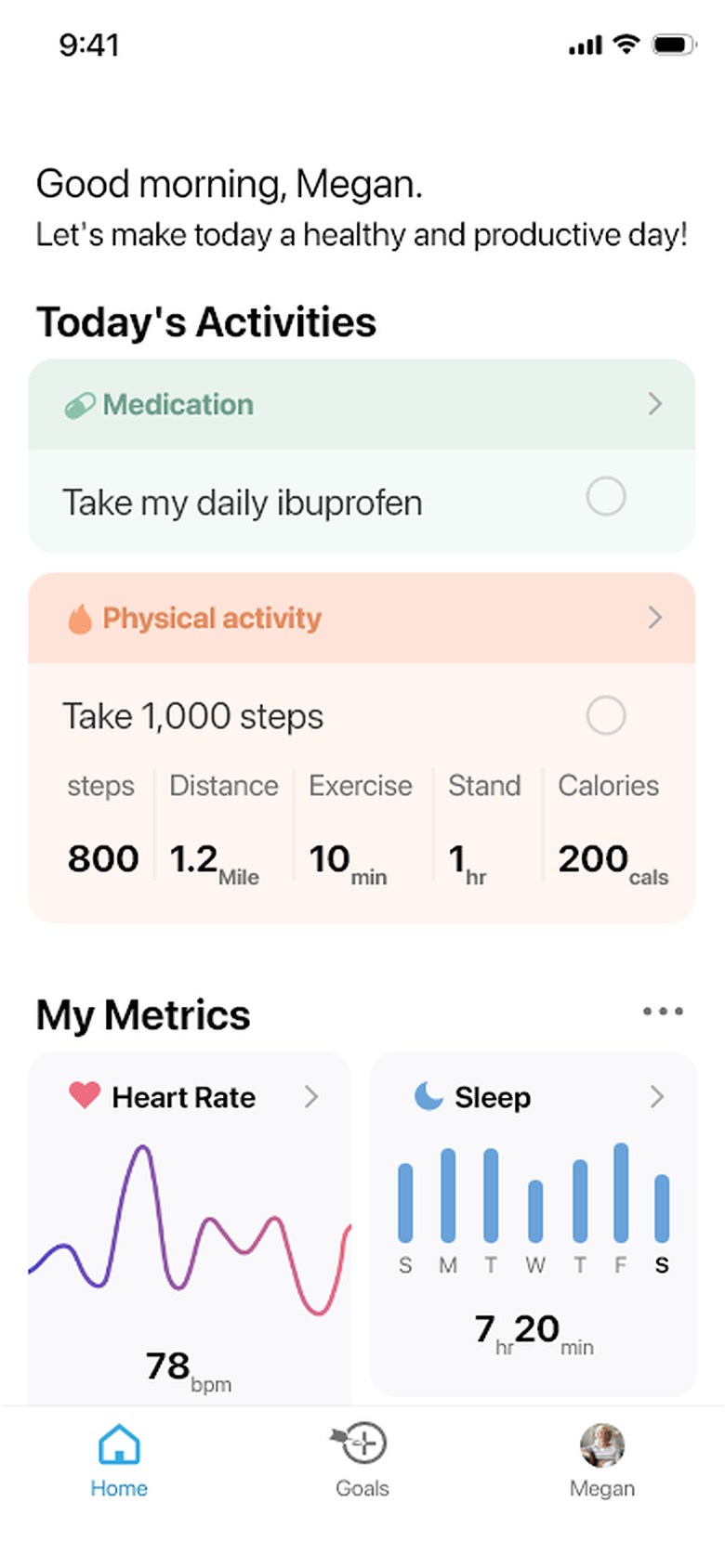
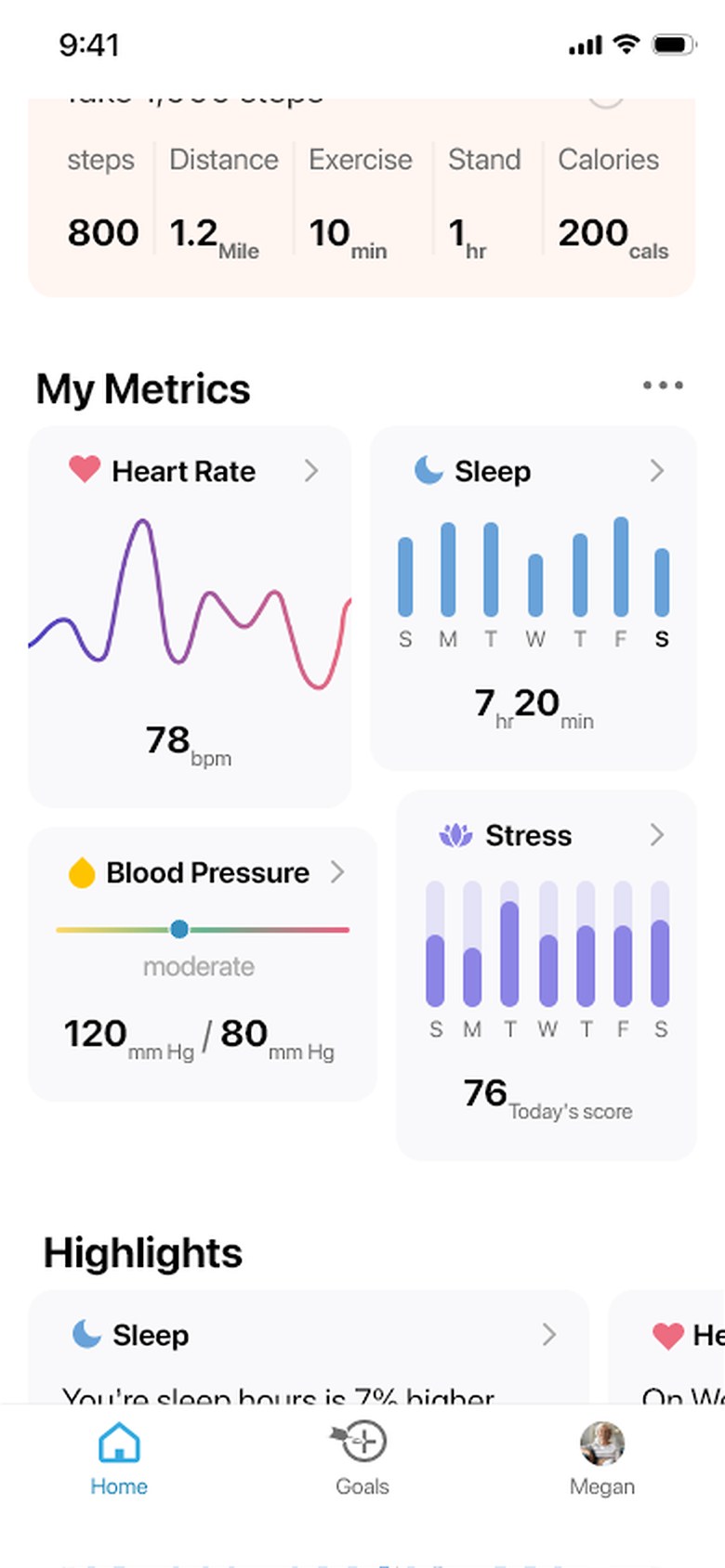
The app home screen listing today’s activities
Daily activities
The metrics screen with heart rate and sleep readings
Health metrics
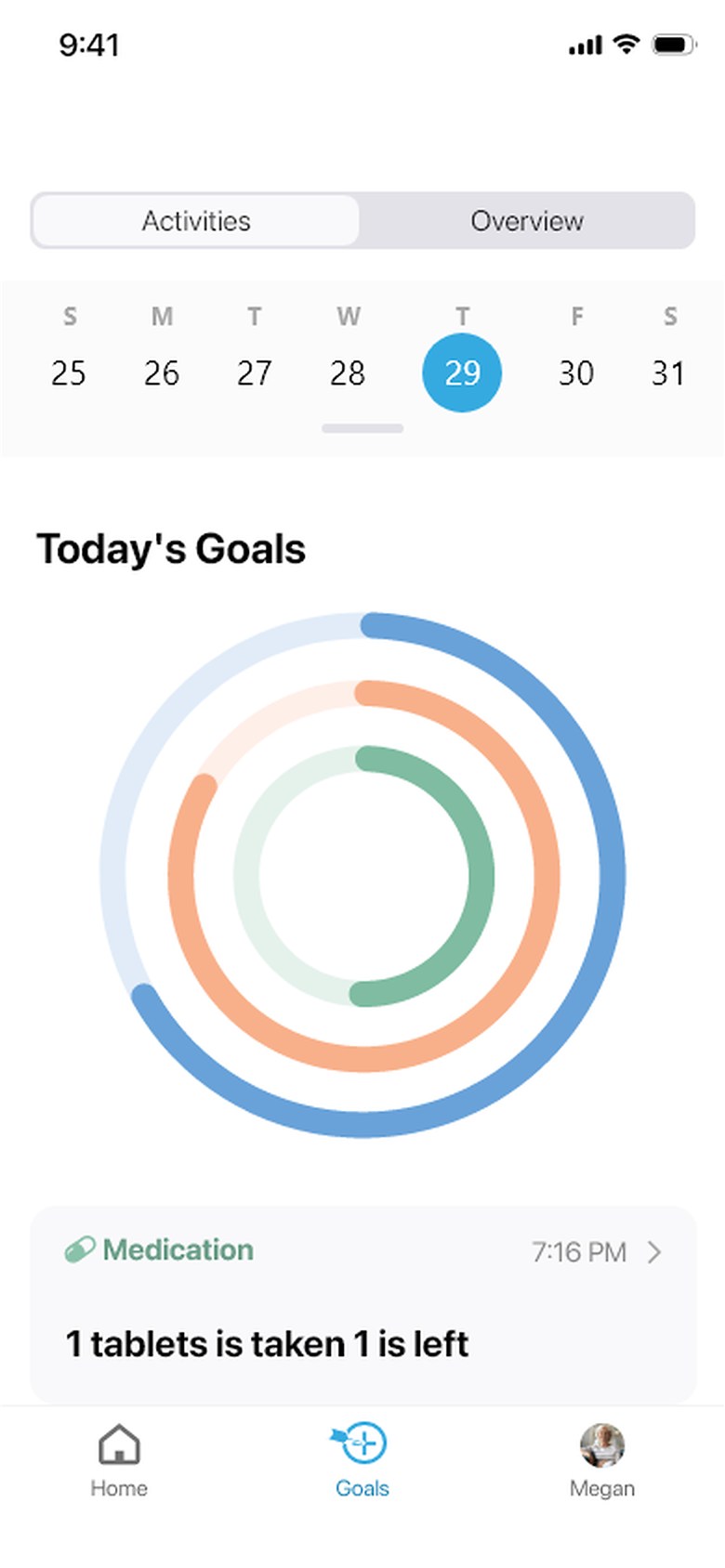
The goals screen with progress rings for the day
Goal progress

Wireframes

Reconstructed

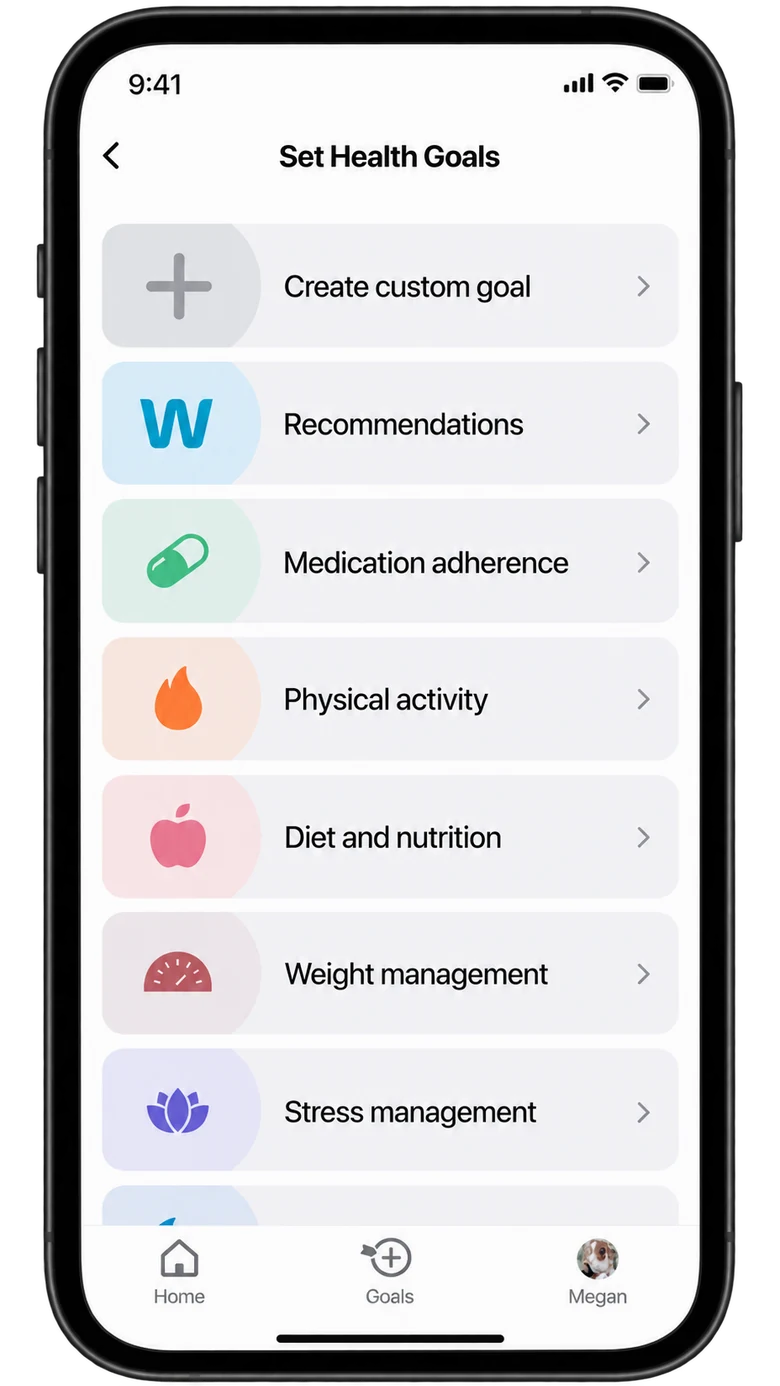
The app leads from today’s priorities and goal progress to choosing a goal category and entering its details.

Daily overviewGood morningToday’s activitiesMy metricsMetricMetricMetricMetricHomeGoalsProfile
Daily priorities
Progress & goalsActivitiesOverview25262728293031ProgressGoal categoryGoal category+ Set a health goalHomeGoalsProfile
Goal progress
Set health goals+ Create custom goalRecommendationsMedication adherencePhysical activityDiet and nutritionWeight managementStress managementHomeGoalsProfile
Goal categories
Define the goalWhat?Physical activity / WalkingHow much?Measurement typeEnter targetstepsRecommendations ›When?Date and timeAny details?SaveHomeGoalsProfile
Goal details

Health metrics

Heart rate & activity

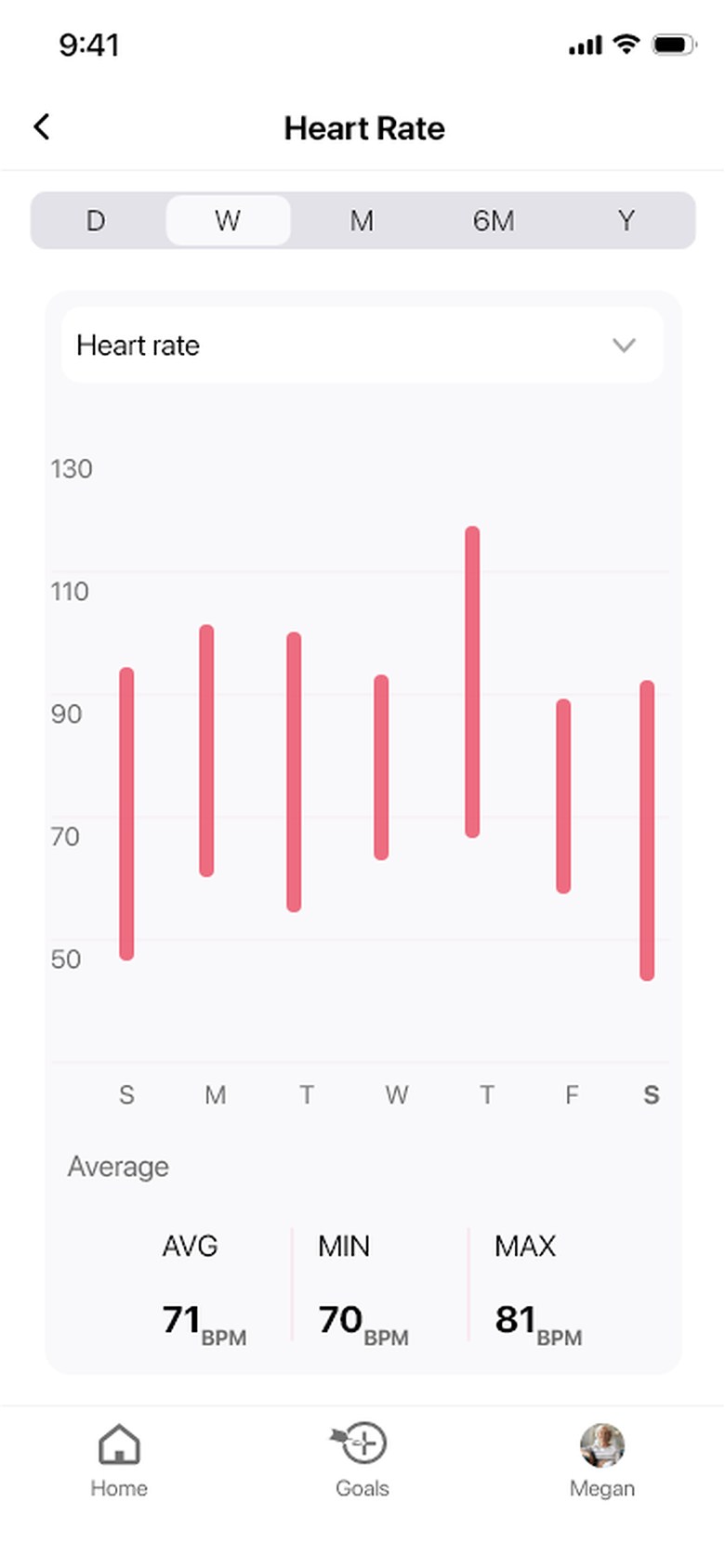
Current readings and history offer two views of heart rate and physical activity.
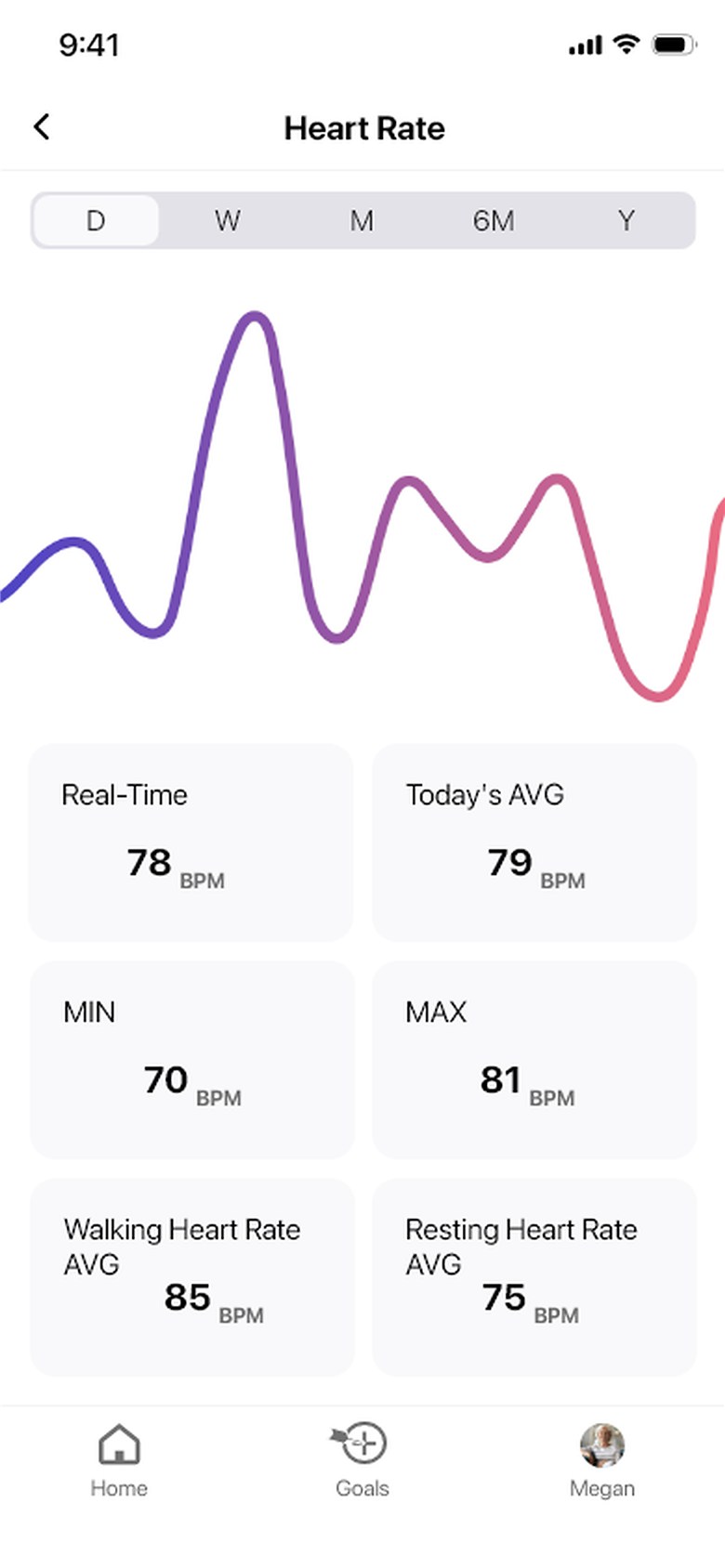
Heart rateCurrent reading and history
Current values
Current values
Ranges over time
Ranges over time
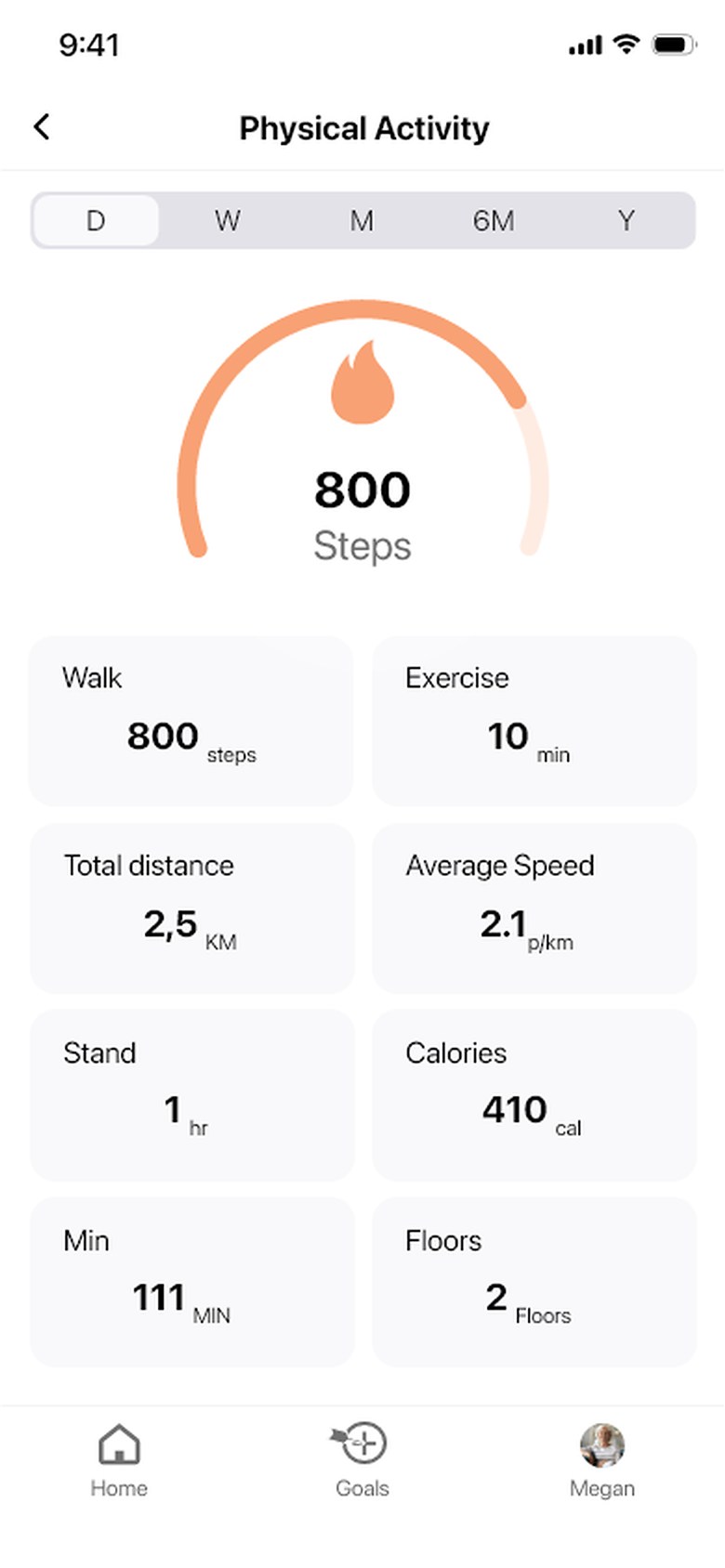
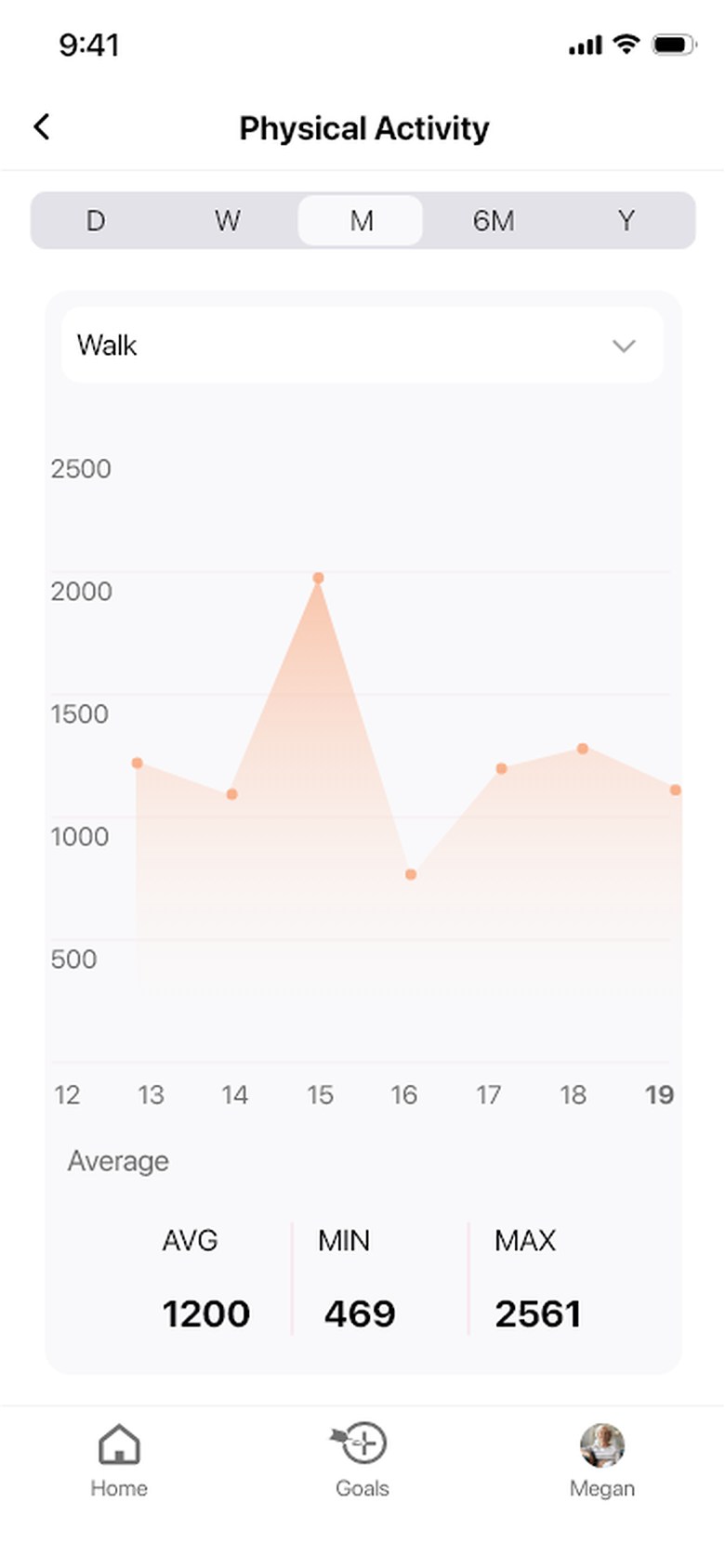
Physical activityDaily activity and history
Daily movement
Daily movement
Activity history
Activity history

Care details

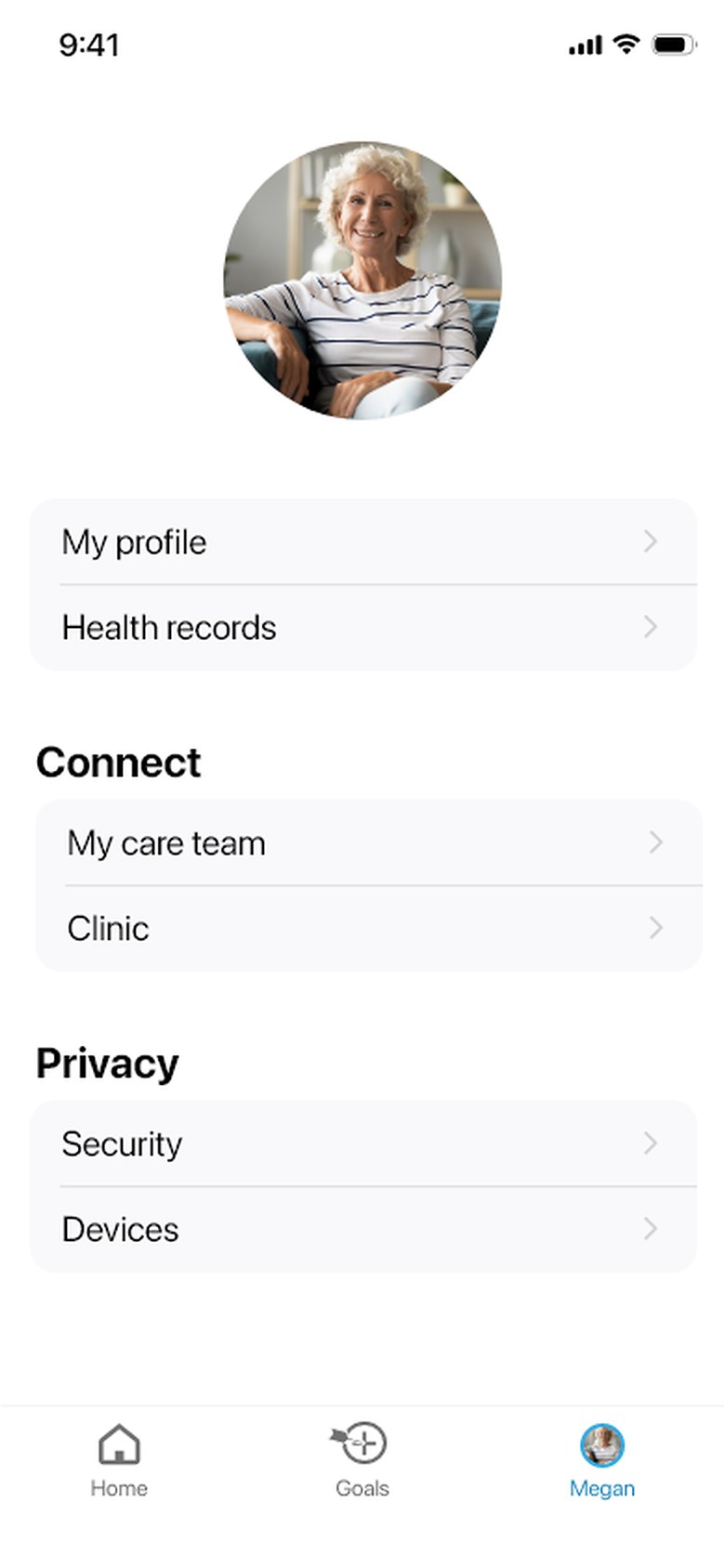
Sleep, medication, and profile screens organize different types of care information.
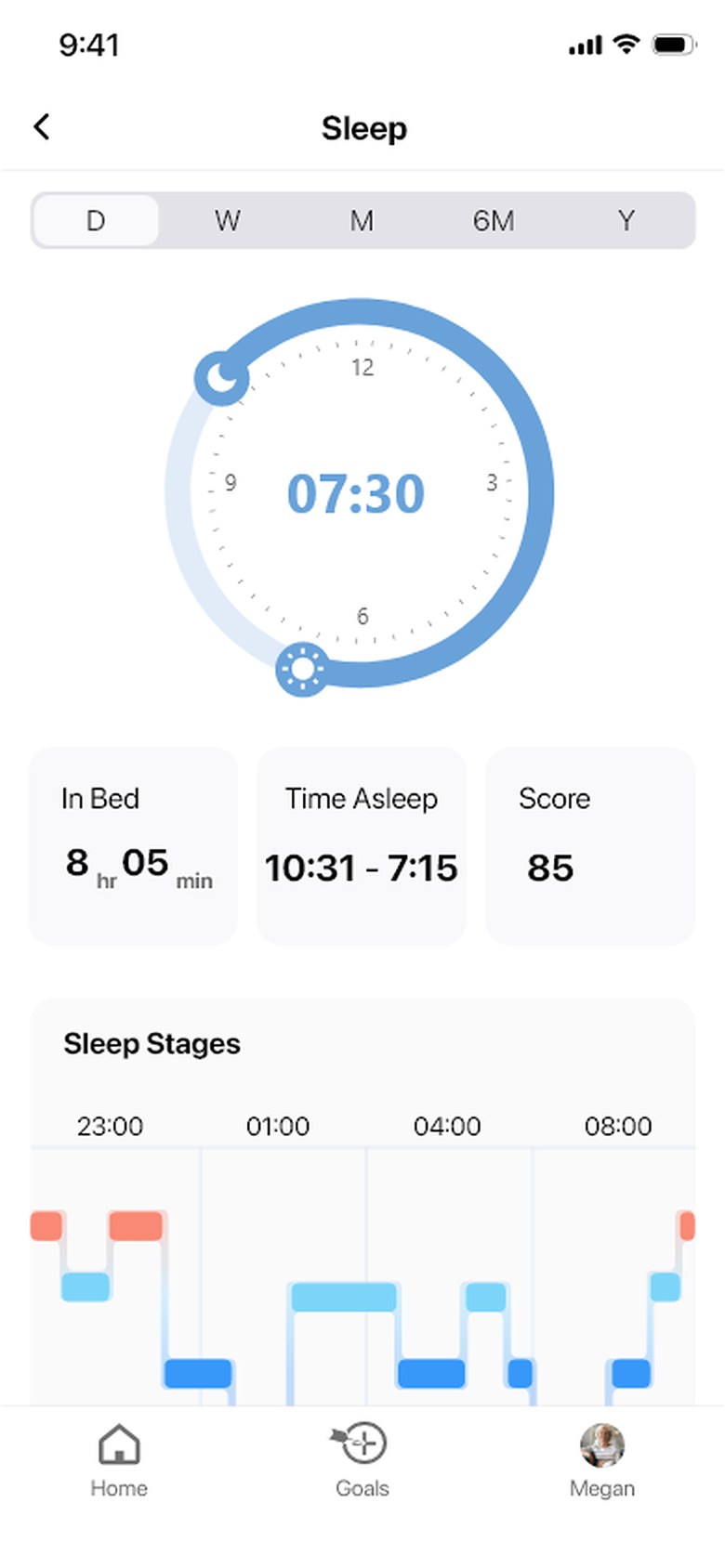
Sleep / duration & stages
Sleep duration and stages
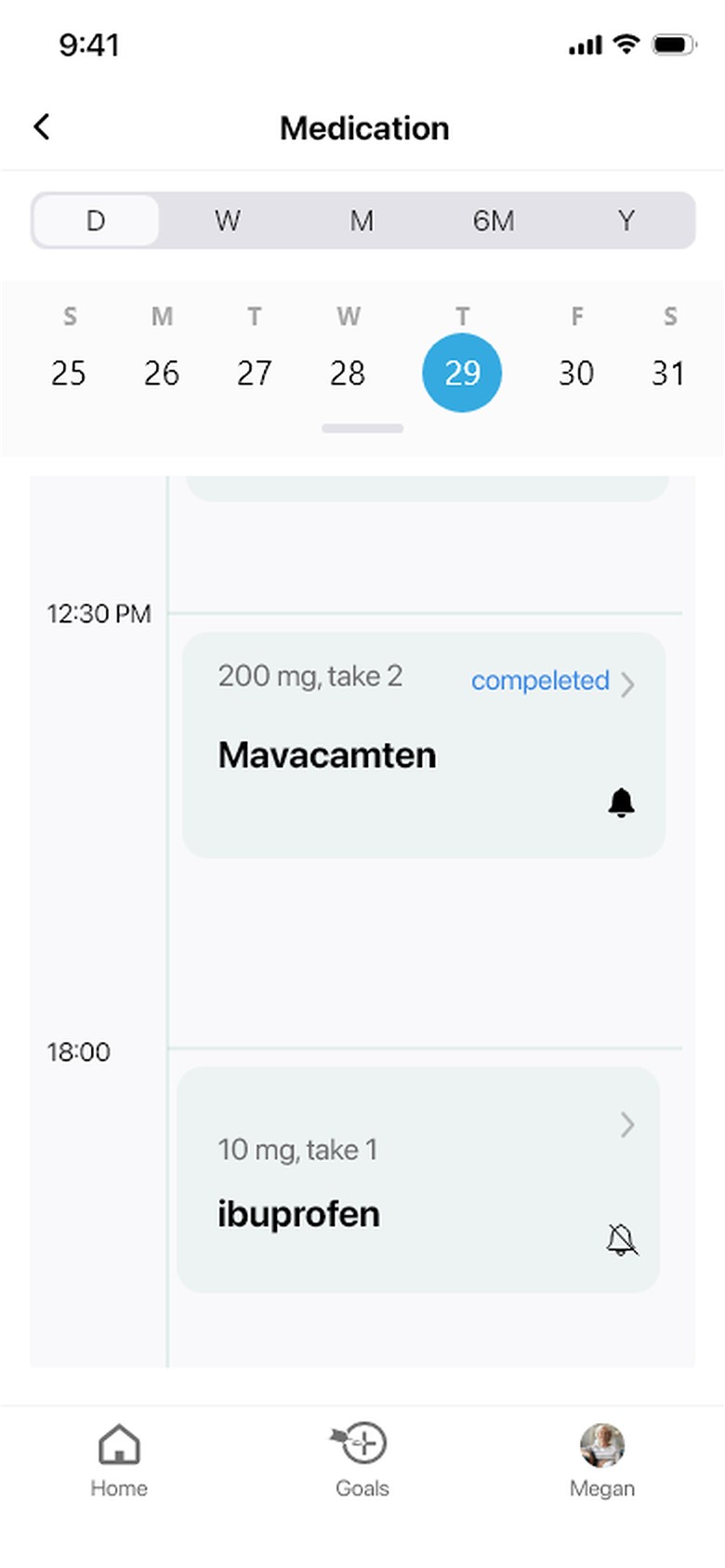
Medication / timing & status
Medication timing and status
Profile / care context
Profile and care information

App interactions

In the mobile app, setting a health goal moves from choosing an activity to defining a target and schedule.

TASK FLOWReview progressChoose walkingSet target & timeSave
01 / START

Choose an activity

Start from current progress, then choose a goal category.
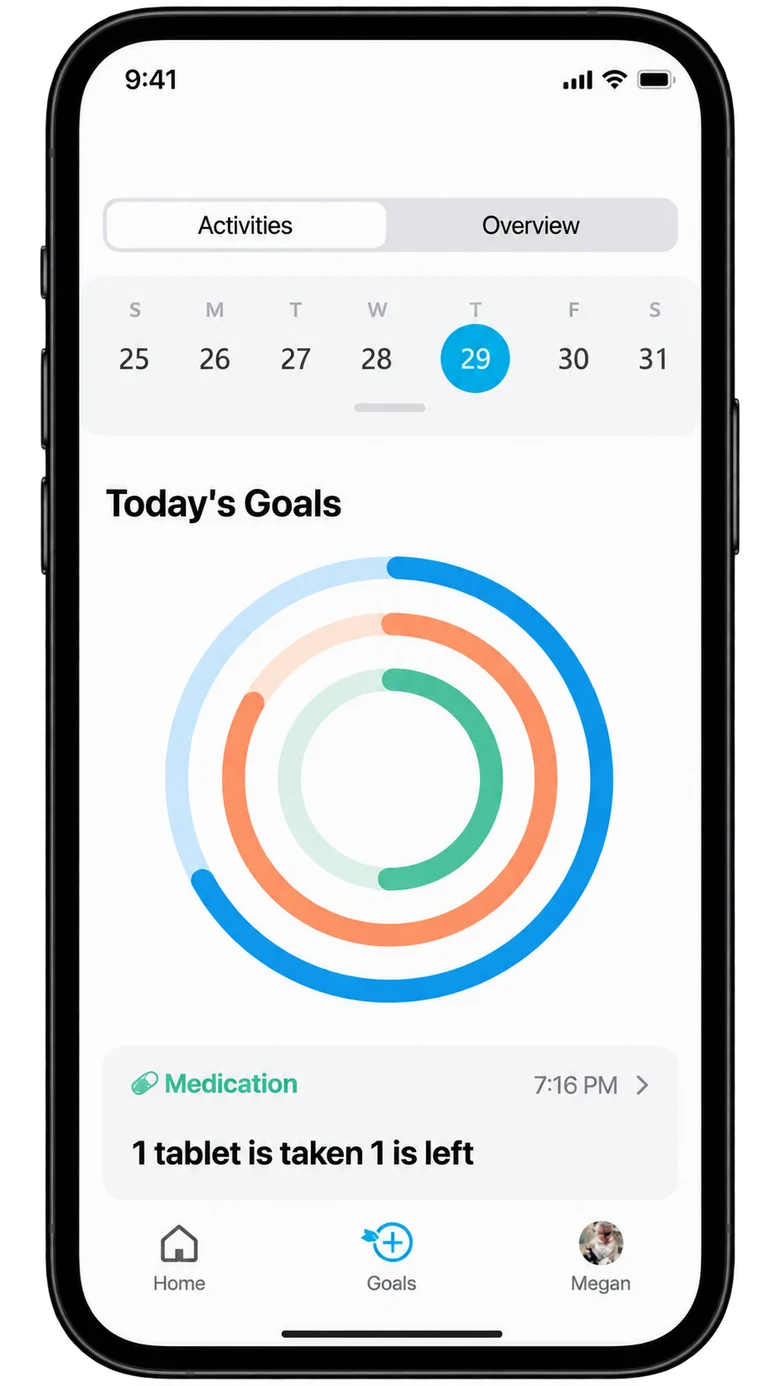
Review progress
Review progress
Start a goal
Start a goal
Choose a category
Choose a category
02 / DEFINE

Define a target

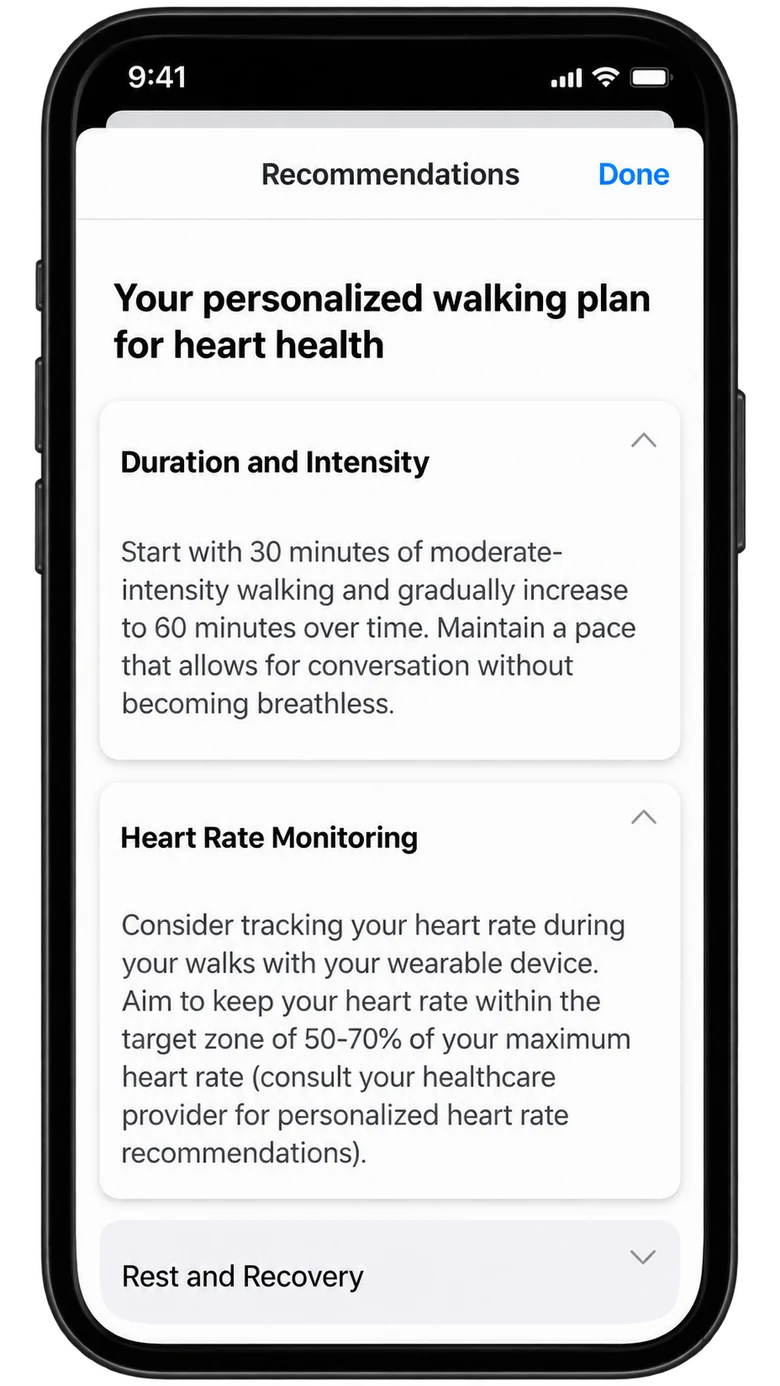
Review the chosen activity and consult guidance before setting its details.
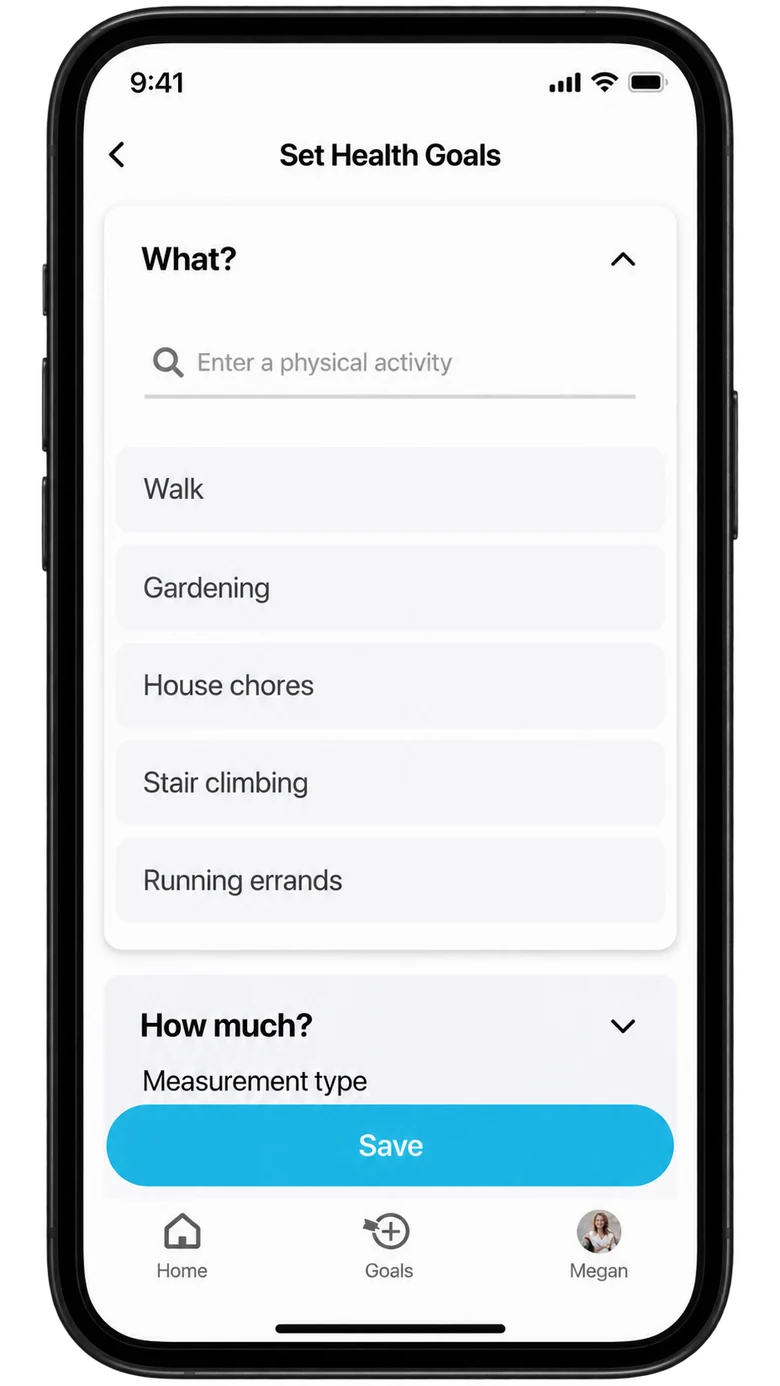
Select the activity
Select the activity
Review the goal
Review the goal
Consult guidance
Consult guidance
03 / COMMIT

Set a schedule

Set the timing and target, then return to daily activities.
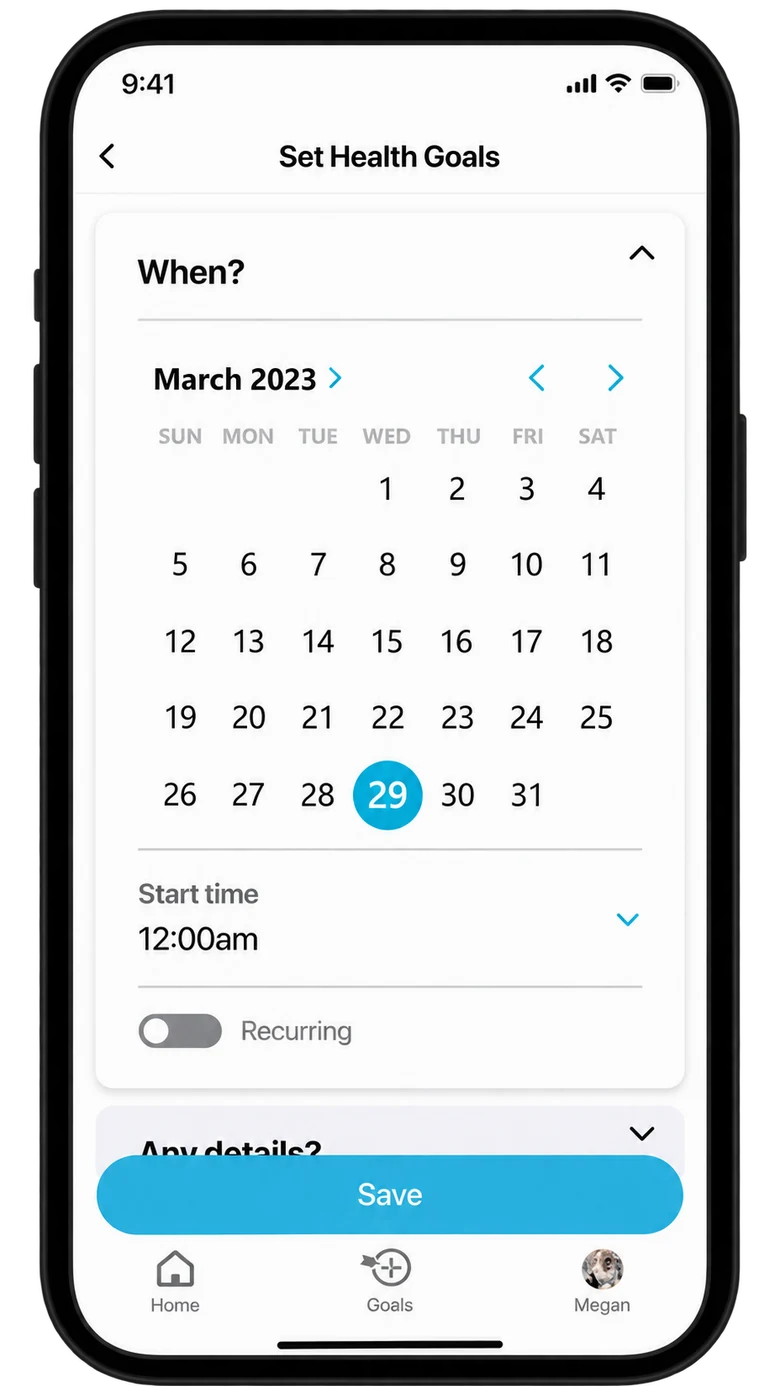
Set the timing
Set the timing
Set the target
Set the target
Return to daily activities

Solid paths are reconstructed from the screens. Dashed paths propose confirmation and recovery.

Desktop software

Specialists prepare data files, inspect biological sequences, and compare linked models across scales.

Analyst journey

Hypothesis

An analysis specialist moves from preparing files to inspecting sequences and comparing linked views, where context is easy to lose between selections, views, and scales.

Prepare

FilesWorkflow
Files beside the workflow
Question

Which files do I need?

Potential barrier

Files and workflow steps feel disconnected

Design response

Files beside the workflow canvas

Inspect

SequenceDetails
Selection within context
Question

Which detail needs attention?

Potential barrier

A selection loses its wider context

Design response

Sequence overview with selection details

Connect

PathwaySelection
Relationships and details
Question

How are these findings related?

Potential barrier

Relationships are split across views

Design response

Linked pathways, networks, and details

Examine

MoleculeBody view
Views across scales
Question

What changes at another scale?

Potential barrier

Context is lost between scales

Design response

Molecular and body views together

This journey is inferred from the desktop mockups. The barriers are hypotheses, not findings from user testing.

Workspace wireframes

Reconstructed

Files, sequences, and linked views each hold their own place in the workspace.

W File Edit ViewWorkflowFilesInputInputRunOutput
Files and workflow canvas
W File Edit ViewGenome inspectionSelectionSequence tracks
Sequence and selection details
W File Edit ViewMulti-scale analysisDetailsMoleculeOrgan model
Linked views

File explorer

File management and visual scripting provide two ways to prepare an analysis.
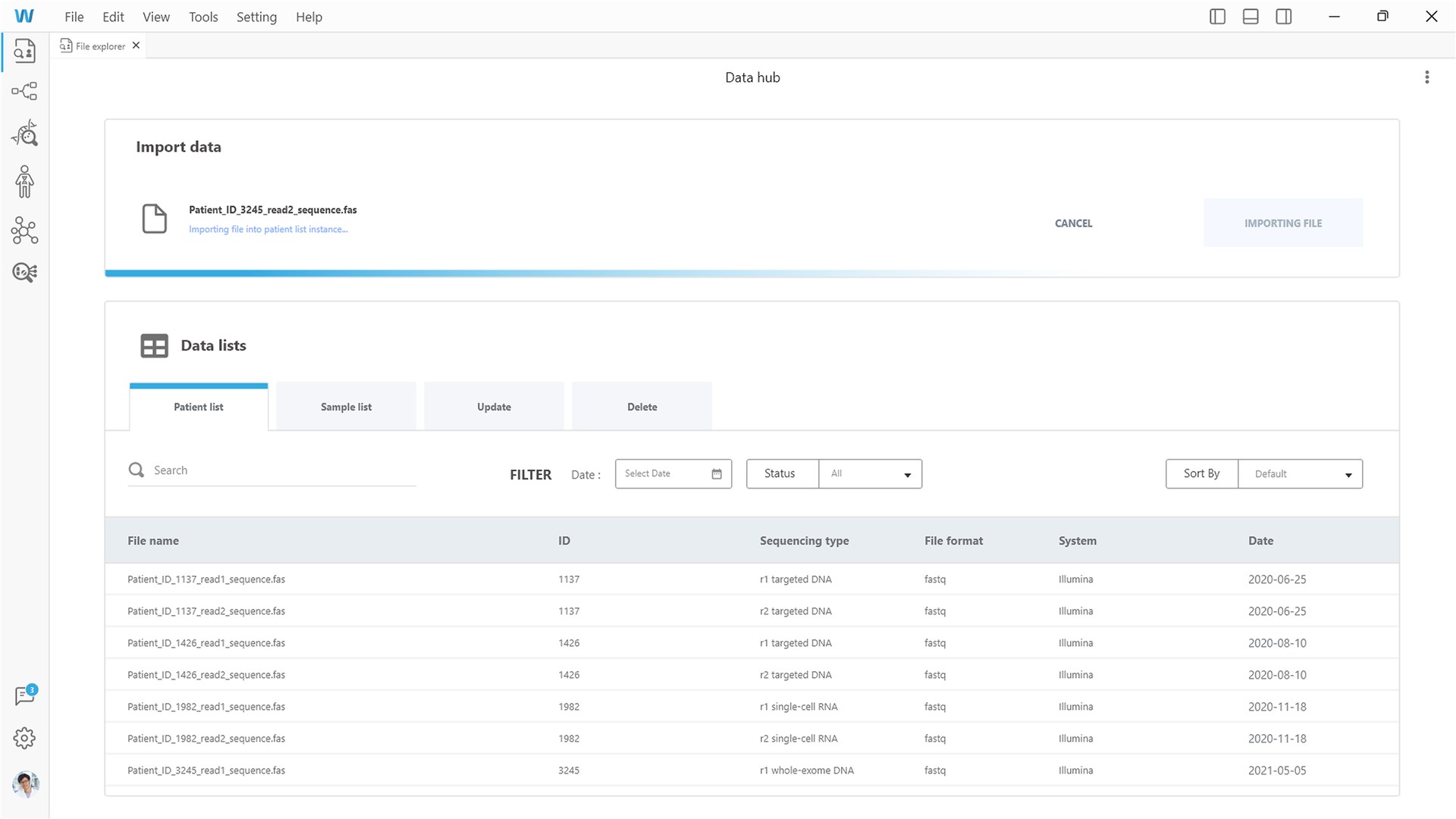
File explorer
File explorer
Visual scripting
Visual scripting

Genome viewer

Sequence context stays in view while one selection is inspected in detail.
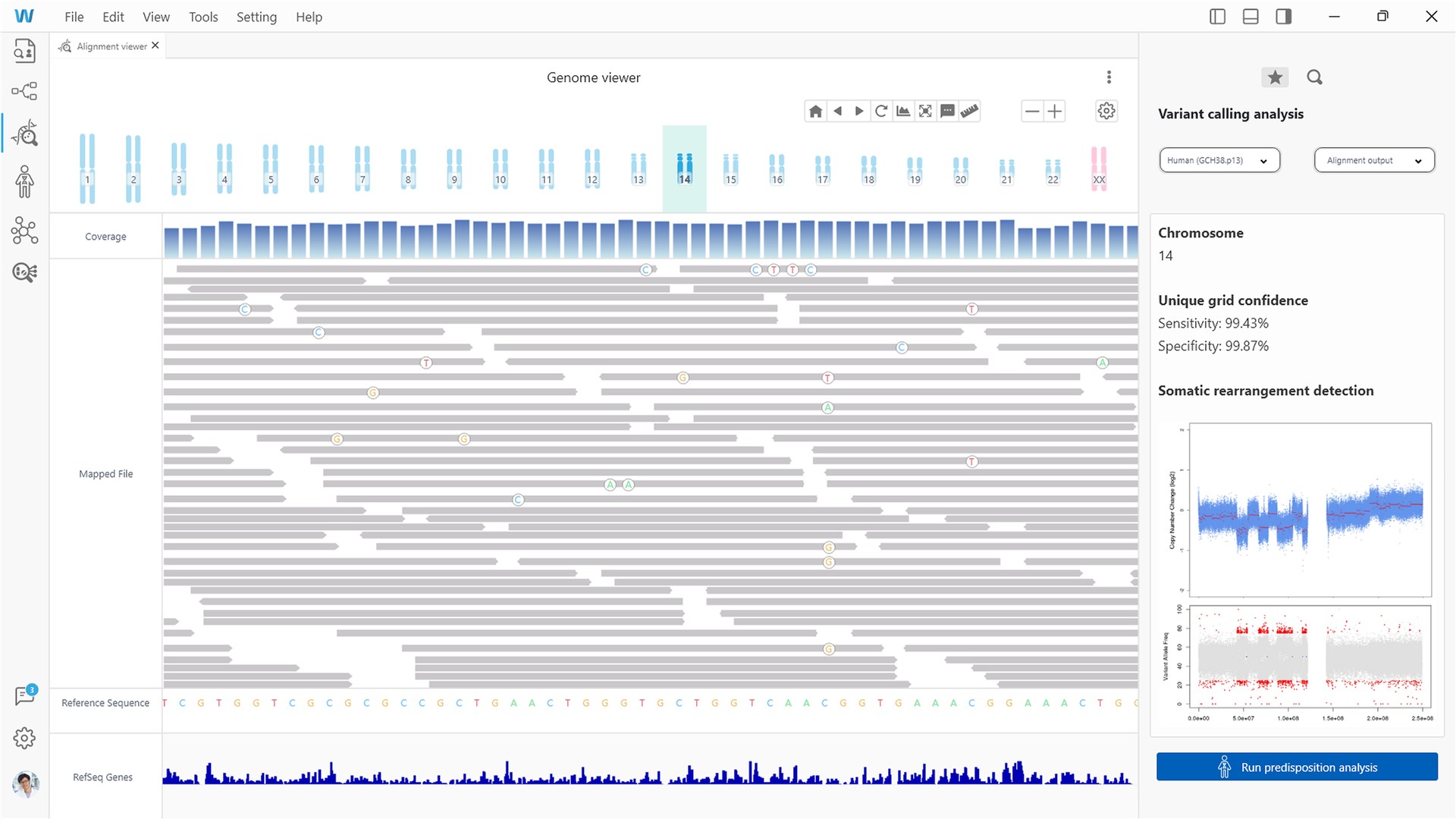
Sequence overview
Sequence overview
Focused inspection
Focused inspection

Analysis context

Body and pathway views present information at different biological scales.
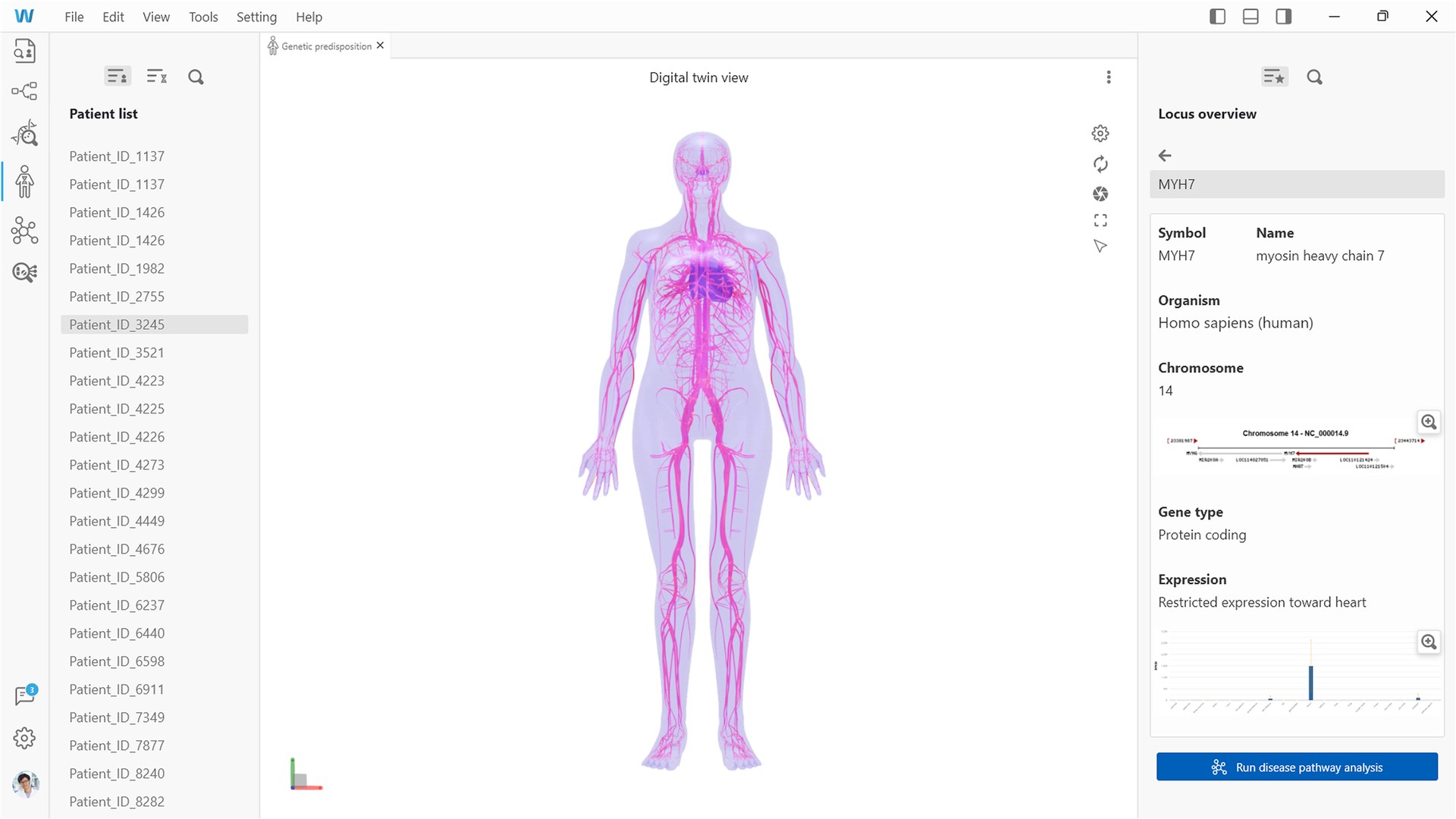
Body-level context
Body-level context
Pathway relationships

Evidence comparison

Network, molecular, and multi-scale views give specialists different perspectives on one analysis.
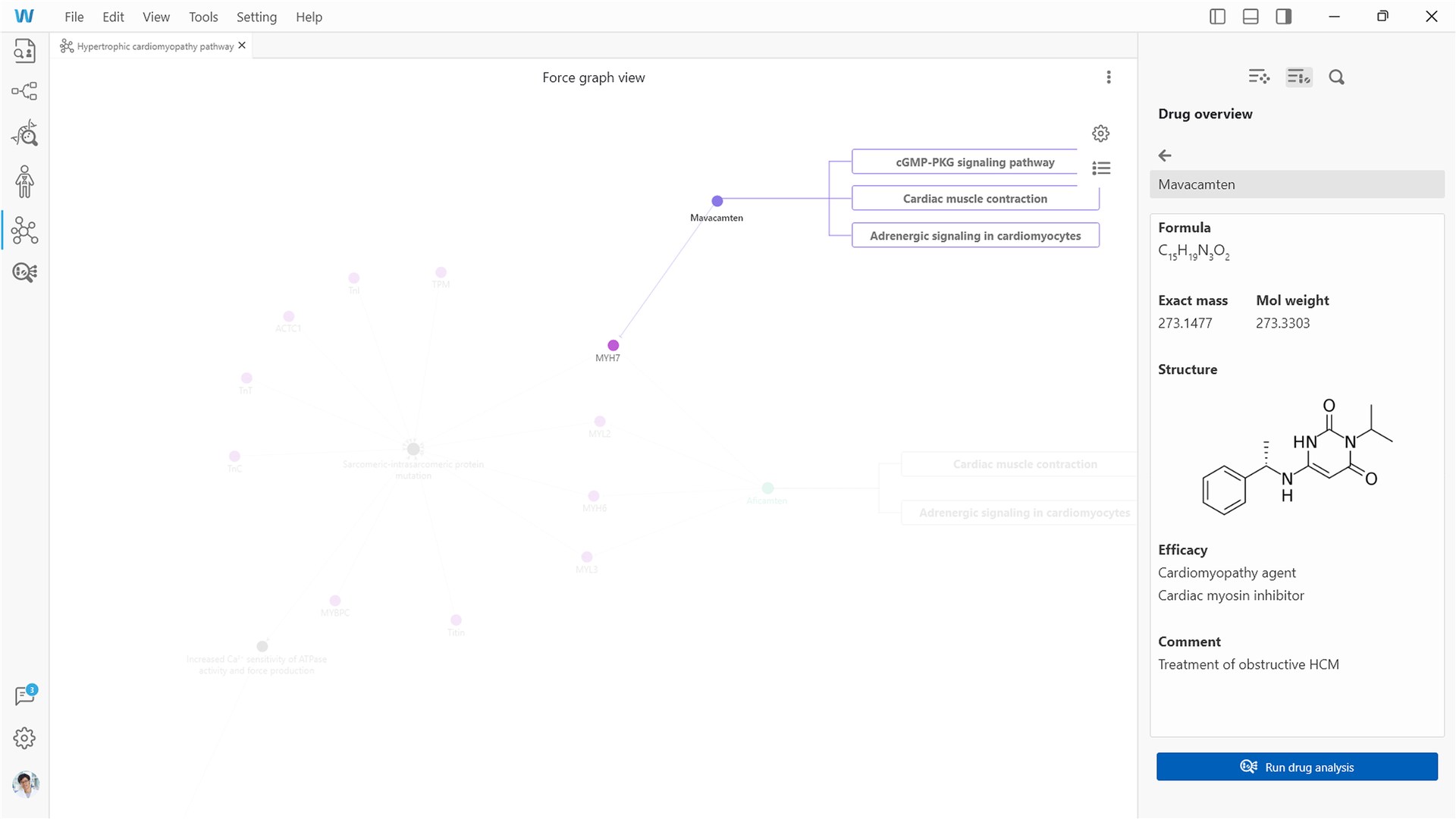
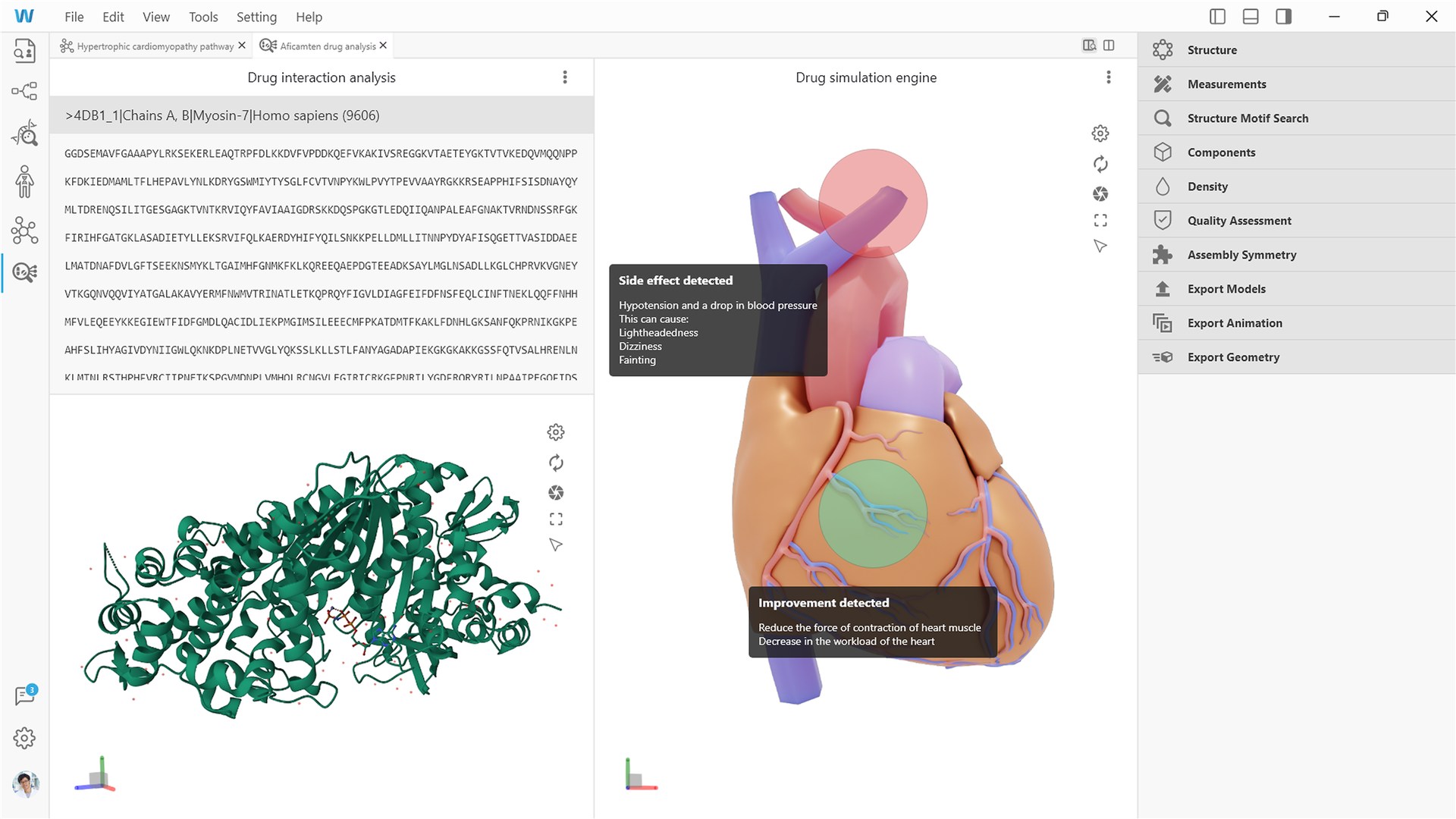
Network + molecular detail
Network and molecular detail
Multi-scale analysis
Workspace structurePrepare: files and visual scriptingInvestigate: genome and predispositionExamine: pathways and drug analysis

These screens explore an analyst workflow. Scientific validation has not been tested.

Design system

A shared visual identity supports two component sets: progress and goal controls for the app, and file, sequence, and analysis controls for the software.

Color palette

Mobile#35AAE0
Software#005FB8
MedicationActivitySleep

Typography

800 stepsKey value
Today’s ActivitiesHeading
Take 1,000 stepsBody

Components

Mobile

Activity card
Physical activity
Take 1,000 steps
Steps800Distance1.2 miExercise10 min
Goal input
1,000Steps
Primary action
Save goal
Time selection
DWM6MY

Software

Workflow nodes
INPUTDefault
ALIGNMENTSelected
Document tabs
File explorerWorkflow ×
Primary action
Run analysis →
Progress feedback
Importing file…

Colors are sampled from the screens. Components are reconstructed, and the type scale is proposed.

Next projectFeral